ZONESUN
ZONESUN ZS-RPR01 Thermal Transfer Barcode Label Printer with Automatic Rewinder
ZONESUN ZS-RPR01 Thermal Transfer Barcode Label Printer with Automatic Rewinder
Couldn't load pickup availability
Thermal Transfer Barcode Label Printer with Automatic Rewinder
The ZONESUN ZS-RPR01 Barcode Label Printing and Rewinding System is designed for printing and collecting roll labels before downstream labeling. It supports barcodes, QR codes, text, batch numbers and other variable data.
The printer supports direct thermal and thermal transfer printing with available 203 dpi or 300 dpi configurations. The separate ZS-LR07 automatic label rewinder provides adjustable rewinding speed, direction and tension for stable roll collection.
Technical Specifications
ZS-LR07 Label Rewinder
| Model | ZS-LR07 |
|---|---|
| Maximum Speed | 10 in/s |
| Baffle Diameter | 185 mm |
| Adjustable Roll Core Diameter | 1–3 in |
| Rewinding Width | 5–120 mm |
| Rewinding Mode | Speed Adjustment / Forward & Reverse / Tension Control |
| Power Supply | 100–240 V |
| Rated Power | 8 W |
| Net Weight | 3.1 kg |
| Gross Weight | 3.8 kg |
| Product Dimensions (L × W × H) | 305 × 185 × 200 mm |
| Package Dimensions (L × W × H) | 355 × 265 × 270 mm |
ZS-TH240 Printer Configuration
| Print Resolution | 203 dpi |
|---|---|
| Printing Method | Direct Thermal / Thermal Transfer |
| Maximum Print Speed | 203 mm/s (8 in/s) |
| Maximum Print Width | 108 mm (4.25 in) |
| Label Width | 15–120 mm |
| Ribbon Width | 40–110 mm |
| Power Supply | AC 100–240 V, 50–60 Hz |
| Supported 1D Barcodes | Code 39, Code 93, Code 128 (Subsets A/B/C), EAN-8, EAN-13, UPC-A, UPC-E, etc. |
| Supported 2D Barcodes | QR Code, DataMatrix, PDF417, Aztec, MaxiCode, etc. |
| Interfaces | USB 2.0, RS-232, USB Host, Ethernet |
| Optional Connectivity | Wi-Fi / Bluetooth |
| Printer Dimensions (L × W × H) | 286 × 223 × 186 mm |
| Weight | 2.8 kg |
| Optional Accessories | External Media Roll Holder, KP-200 Plus Standalone Keyboard, 10 mm Wide Label Peeler |
ZS-TH340 Printer Configuration
| Print Resolution | 300 dpi |
|---|---|
| Printing Method | Direct Thermal / Thermal Transfer |
| Maximum Print Speed | 152 mm/s (6 in/s) |
| Maximum Print Width | 105.7 mm (4.16 in) |
| Label Width | 15–120 mm |
| Ribbon Width | 40–110 mm |
| Power Supply | AC 100–240 V, 50–60 Hz |
| Supported 1D Barcodes | Code 39, Code 93, Code 128 (Subsets A/B/C), EAN-8, EAN-13, UPC-A, UPC-E, etc. |
| Supported 2D Barcodes | QR Code, DataMatrix, PDF417, Aztec, MaxiCode, etc. |
| Interfaces | USB 2.0, RS-232, USB Host, Ethernet |
| Optional Connectivity | Wi-Fi / Bluetooth |
| Printer Dimensions (L × W × H) | 286 × 223 × 186 mm |
| Weight | 2.8 kg |
| Optional Accessories | External Media Roll Holder, KP-200 Plus Standalone Keyboard, 10 mm Wide Label Peeler |
Applications
- Barcode and QR-code label rolls for product identification.
- Batch, production and variable-information labels.
- Printed label preparation for manual application or compatible downstream labelers.
Product Details


Label Unwinding
Holds and feeds the label roll into the printer.

Label Printing
Prints text, product information, barcodes and QR codes on compatible labels.

Thermal Transfer
A thermal printhead transfers ink from a compatible ribbon to the label.

Automatic Rewinding
Collects printed labels into a roll for storage and subsequent application.

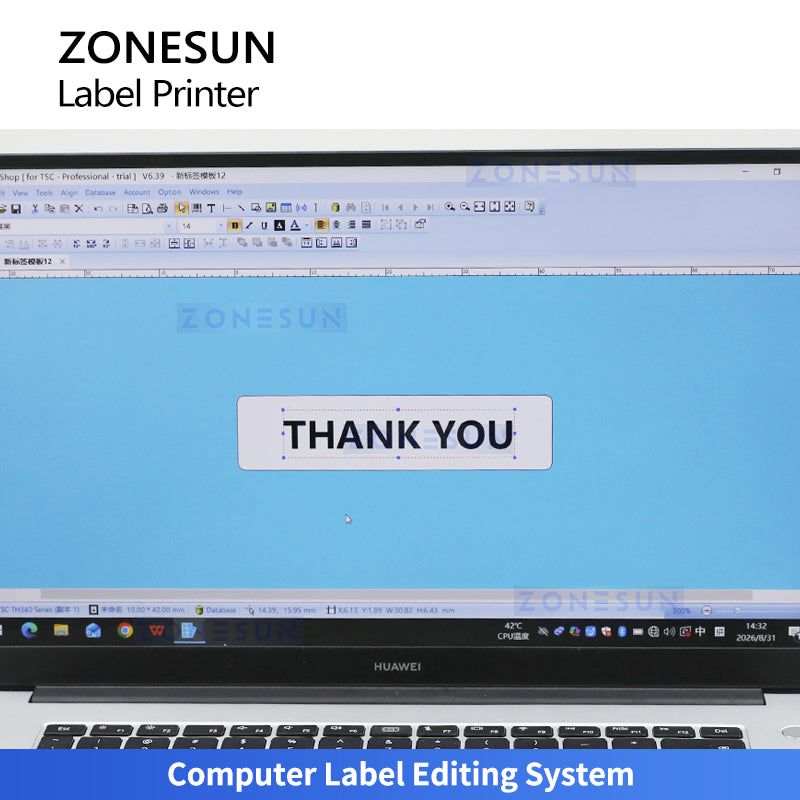
Computer Editing
Compatible software provides label design, content editing and print-job management.

Key Features
- Roll collection: Automatic rewinding prepares printed labels for later use.
- Variable content: Prints supported text, 1D barcodes and 2D codes from the selected label layout.
- Printing choices: Listed 203 dpi and 300 dpi configurations support different print-detail requirements.
- Rewinder adjustment: Speed, forward/reverse direction and tension controls help match roll handling to the job.
- Interfaces: Listed printer interfaces include USB, RS-232, USB Host and Ethernet; Wi-Fi and Bluetooth are optional.
How It Works
- Load compatible label stock and a ribbon when using thermal transfer mode.
- Design the label and prepare variable content in compatible software.
- Set print parameters and check sample output.
- Feed the printed web to the rewinder and adjust direction, speed and tension.
- Collect the printed roll for separate label application.
Selection Guide
Share label width and length, artwork, barcode size, label material and required output. Specify 203 or 300 dpi, printing mode and connection requirements. Match the finished roll core, winding direction and label orientation to the downstream labeling equipment. The listed printer configurations are comparisons; establish the supplied printer and accessories in the quotation.
Frequently Asked Questions
Does it apply labels to products?
No. The described system prints and rewinds labels. Product labeling requires a separate applicator or manual operation.
Is 10 inches per second the printing speed?
That figure belongs to the ZS-LR07 rewinder. The listed maximum print speeds are 8 inches per second for ZS-TH240 and 6 inches per second for ZS-TH340. Actual system output is limited by the printing job and roll handling.
What is the difference between the two printer configurations?
ZS-TH240 is listed at 203 dpi with a maximum print width of 108 mm. ZS-TH340 is listed at 300 dpi with a maximum print width of 105.7 mm.
Does thermal transfer require a ribbon?
Yes. Thermal transfer uses a compatible ribbon and label material. Direct thermal mode uses suitable heat-sensitive media.
Does 120 mm label width mean 120 mm print width?
No. Label width is the supported media width; maximum printable width is specified separately for each printer.
Are printed labels waterproof or abrasion-resistant?
Durability depends on the label material, ribbon and settings. Evaluate the combination for the intended storage and handling conditions.
Are wireless connections and accessories standard?
Wi-Fi, Bluetooth, the external media holder, standalone keyboard and label peeler are listed as optional.
Discuss Your Label Printing Requirements
Use the chat window on this page to send label artwork, dimensions, material and required output. Our team can help evaluate printer resolution, ribbon selection and roll handling.
Related Equipment
- ZS-TB160POP Real-Time Print Flat Labeling Machine — compare an integrated printing and application option for compatible flat surfaces.